Step 1
Create a Payport Business Account.
DEVELOPER DOCUMENTATION
Integrate Payport into your website, mobile application, or custom platform using developer-friendly APIs and comprehensive documentation.
WELCOME
This documentation helps developers integrate Payport payment infrastructure quickly, securely, and efficiently.
You will find guides, API references, examples, and best practices for building reliable payment experiences.
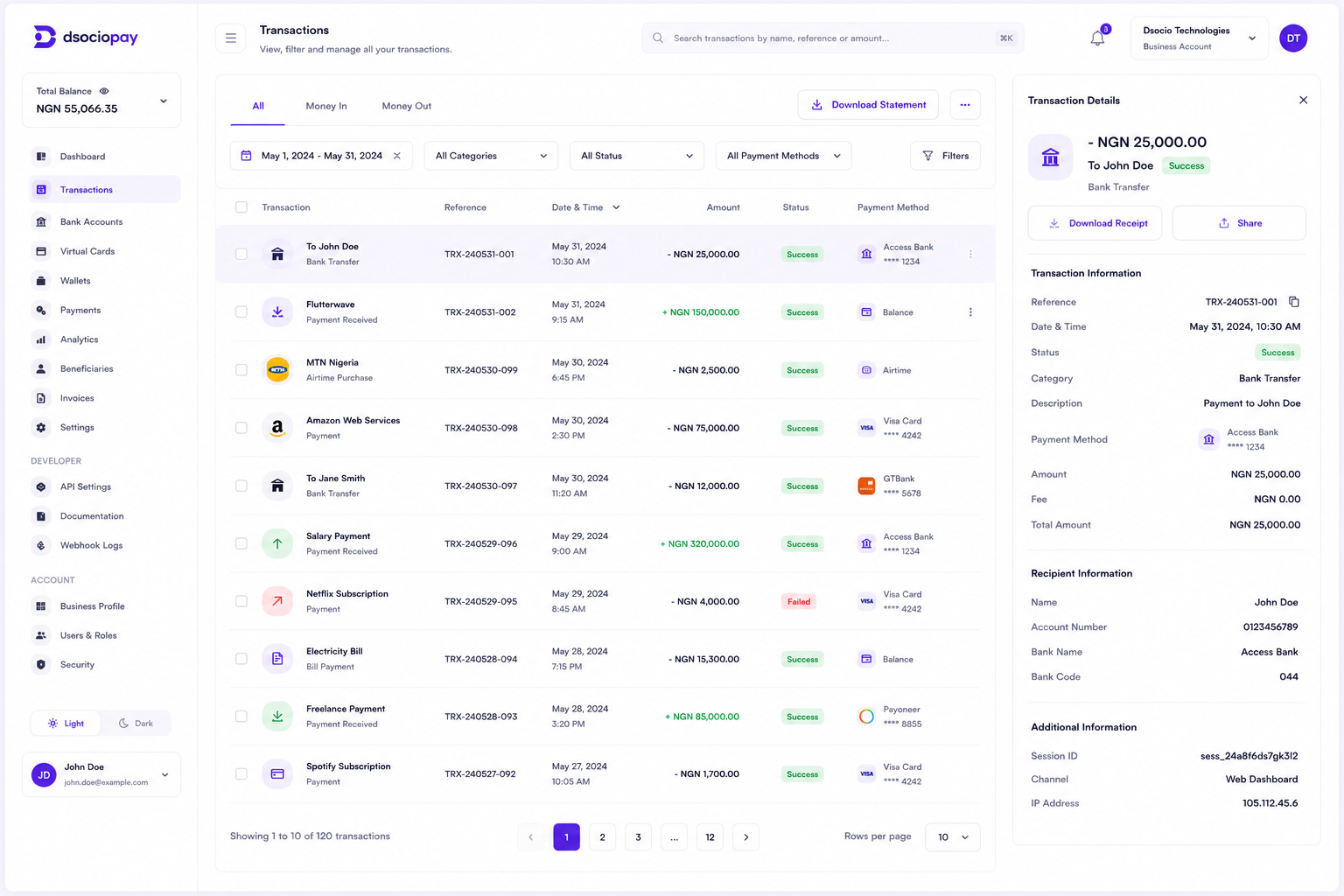
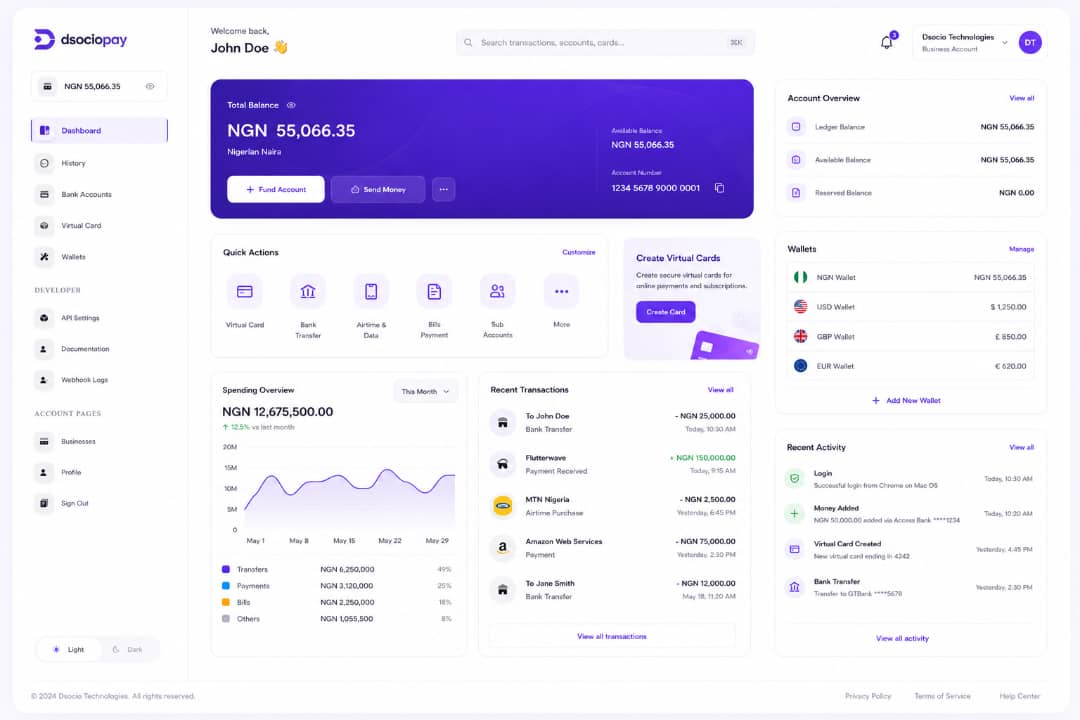
Monitor every transaction in real-time. Get detailed insights, download reports and reconcile your accounts with ease from a single intuitive dashboard.
Explore Dashboard →Flexible solutions tailored to your industry and business needs.
Accept payments globally and pay your suppliers with ease.
Manage subscriptions, payouts and team expenses efficiently.
Process payments and automate vendor disbursements.
Get paid by global clients and manage your earnings.
Streamline client payments and track project expenses.
GETTING STARTED
Create a Payport Business Account.
Complete your business verification.
Generate your API keys from the Developer Dashboard.
Integrate Payport into your application.
Test your integration before switching to production.
API OVERVIEW
Create a payment request from your backend.
Confirm payment status before fulfilling orders.
Use webhooks to stay synchronized with payment activity.
Retrieve transaction details and monitor settlement activity.
AUTHENTICATION
Every API request must be authenticated using secure API credentials. Keep secret keys private, never expose them in frontend applications, store credentials securely, and rotate keys when necessary.
Your dashboard provides test public keys, test secret keys, live public keys, and live secret keys. Always use test credentials during development before moving to production.
A typical integration creates a payment, sends the customer to checkout, processes payment, verifies the transaction from your server, and updates your application after successful verification.
Monitor every transaction in real-time. Get detailed insights, download reports and reconcile your accounts with ease from a single intuitive dashboard.
Explore Dashboard →Flexible solutions tailored to your industry and business needs.
Accept payments globally and pay your suppliers with ease.
Manage subscriptions, payouts and team expenses efficiently.
Process payments and automate vendor disbursements.
Get paid by global clients and manage your earnings.
Streamline client payments and track project expenses.
DEVELOPER RESOURCES
Receive automatic notifications for payment successful, failed, cancelled, settlement completed, refund processed, and account events.
Test payment flows, verify responses, validate webhook events, simulate outcomes, and debug integration issues.
Handle invalid requests, authentication errors, payment failures, network errors, timeout responses, and validation errors.
Verify transactions server-side, keep credentials secure, use HTTPS, validate webhook signatures, test thoroughly, monitor logs, and keep integrations updated.
Build with PHP, Laravel, Node.js, JavaScript, Python, Java, .NET, Go, Ruby, and other supported technologies.
Monitor platform availability and planned maintenance announcements through status updates.
DOCUMENTATION RESOURCES
Explore the Quick Start Guide, API Reference, Authentication Guide, Payment Integration Guide, Webhook Guide, Error Code Reference, SDK Documentation, Changelog, and Release Notes.
For integration help, contact developer support for API integration, authentication issues, payment workflows, webhook configuration, technical troubleshooting, and best practices.
Monitor every transaction in real-time. Get detailed insights, download reports and reconcile your accounts with ease from a single intuitive dashboard.
Explore Dashboard →Flexible solutions tailored to your industry and business needs.
Accept payments globally and pay your suppliers with ease.
Manage subscriptions, payouts and team expenses efficiently.
Process payments and automate vendor disbursements.
Get paid by global clients and manage your earnings.
Streamline client payments and track project expenses.
Whether you are creating an online store, mobile application, SaaS platform, marketplace, or enterprise solution, Payport provides the payment infrastructure to support your growth.